Why doesn't Google index my pages?
The usual reason is neither a penalty nor an algorithm secret. The page is either technically unreachable for Googlebot, or it asks not to be indexed (`noindex`, a `canonical` pointing elsewhere), or Google found it, read it and decided it adds nothing new to what the index already holds.
The first step is always the same: work out which stage the page stopped at. Search Console has precise words for this, and they mean very different things.
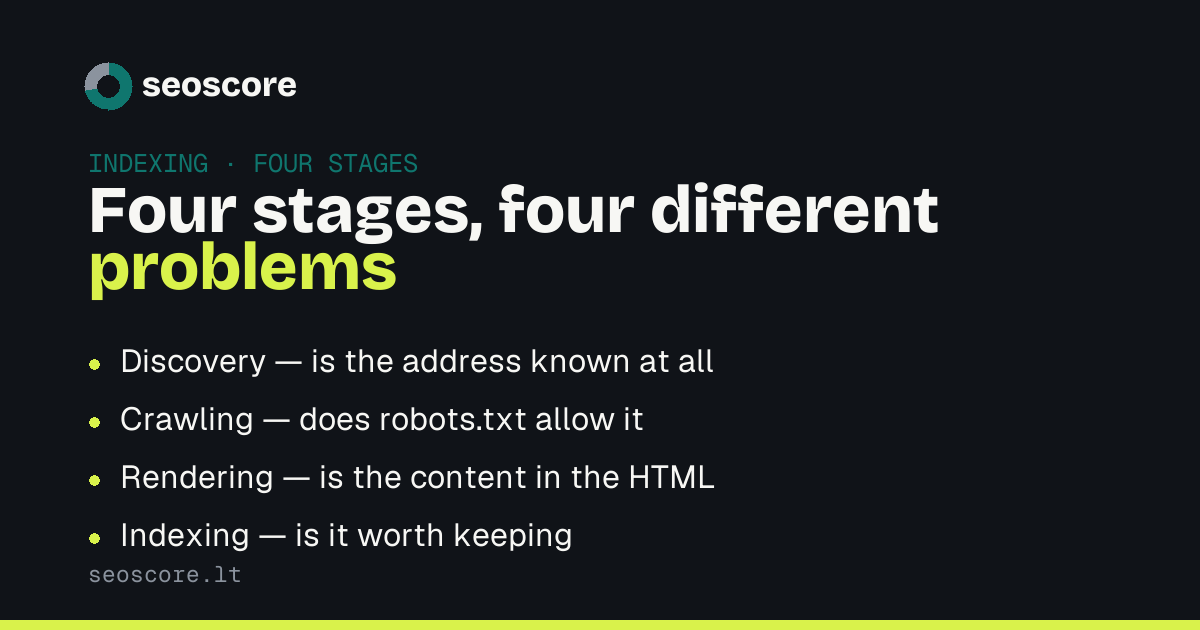
Four stages, four different problems
"Discovered – currently not indexed" — Google knows the address but has not visited yet. Usually a crawl budget question: the site has many URLs and this one does not look important. Internal links from pages that are already indexed help.
"Crawled – currently not indexed" — it visited, read, and passed. That is a content decision: the page looks thin, or too similar to another page on the same site. Technically everything is fine, so technical fixes will not change it.
"Excluded by 'noindex' tag" — the page asks for it. Check the <meta name="robots"> tag and the X-Robots-Tag header: noindex often survives
from the staging phase, or gets added by a template nobody read.
"Blocked by robots.txt" — the bot is not let in at all. This is not
the same as noindex: with crawling disallowed Google cannot see the
content, but it may still show the bare URL in results without a description.
The mistake most sites make
A page carries Disallow: /page in robots.txt and a noindex tag at the
same time. It looks like double protection. It is two instructions cancelling
each other out.
With crawling disallowed the bot never reads the noindex, because it
never opens the page. The result: the URL sits in the index without a
description, while the owner is convinced it is gone.
There is one correct path: if you want the page out of the index, allow
crawling and keep noindex.
What to check in five minutes
- Open the page in a private window — does it load at all without signing in.
- Look at the HTML: is there
<meta name="robots" content="noindex">. - Check the
canonical— if it points elsewhere, Google indexes that page, not this one. - Open
/robots.txtand look for aDisallowthat covers this path. - Search Console → URL Inspection → "Test live URL". It tells you exactly what Googlebot sees now, not what it saw a month ago.
When all of that is clean
Then the problem is content or importance. A page repeating what another of your pages already says competes with itself — Google picks one. A page with no internal links pointing at it looks abandoned.
A free scan covers the first four points across every page at once:
which return something other than 200, which carry noindex, whose
canonical points elsewhere, and which are blocked by robots.txt.
Related articles
The same subject from another angle — each answers its own question:
- Discovered – currently not indexed: what to do
- Keyword cannibalization: how to spot it
- Why is my website slow and where to start
How this feeds into the score is described under what we check.
Sources
What this article is based on — primary sources, not retellings:
Frequently asked
How long does Google take to index a new page?
From a few hours to a few weeks. Speed depends not on age but on how often Google visits the site at all and whether links point to the new page. A sitemap speeds up discovery but guarantees nothing about indexing.
Does a sitemap force indexing?
No. A sitemap suggests which URLs are worth visiting; the decision stays with Google. A page with `noindex` listed in a sitemap simply contradicts itself.
What do I do about "Crawled – currently not indexed"?
No technical fix applies, because nothing is technically broken. What is missing is a reason for the page to exist: original content, your own data, an answer not available elsewhere. If there is no such reason, merging the page into another is often the right move.
Does `noindex` remove a page from the index?
Yes, but not immediately: Google has to visit again and see the tag. That is exactly why disallowing crawling at the same time is a mistake — the removal then never happens.
Check yours
A free scan shows which of the things described here your site already does, and which it does not.